Where to Put a Wi-Fi Hotspot So It Earns
Where to Put a Wi-Fi Hotspot So It Earns
You have a router and a plan. Now it is time to choose wisely where to locate your hotspot. The hotspots’ owners in Kenya make money and lose depending on this and that.
Guides
Contributor By:
Maxwell Kamau
15 Oct,2026, 9:50
Two entrepreneurs buy the same brand of a router, the same access point and the same Internet plan. One man sets his near the college hostel and sells out of vouchers every evening, the other set his beside a quiet roadside and waits. The equipment was the same, the location determined everything.
Some spots are worth setting up your hotspot while others are just underwhelming. Before you commit to anything, it is better to test them out.
What makes a location good
Five things make the difference between a spot that can make money and one that cannot and most failed hotspots miss out at least two.
Foot traffic. This is the number of people walking or sitting near to your signal. More people means more chances to sell. A busy place with nobody lingering in it still sends fewer customers than a place where people stay.
Dwell time. This is how long people stay in range. A student in a hostel can stay for hours, a passenger at a stage for minutes. Longer dwell time means bigger packages and repeat purchases.
Need. People pay for Wi-Fi when mobile data is expensive, slow or runs out. Places where people study, work, stream or wait for long periods have need.
Willingness to pay. There are plenty of people who want internet but far fewer that will pay a fair price for it, and spending power varies by place, so look into what people already buy there, such as airtime, data bundles and snacks.
A place for the equipment. You need steady power, a safe spot to mount the access point, permission from the owner, and a clear path for the signal to reach customers. A perfect crowd is useless if you cannot mount anything.
Locations that tend to work
These are common starting points for Kenyan hotspot owners. None is guaranteed, because every town is different, so treat this as a list of places to investigate.
Hostels and student rentals near to colleges. Students study, stream and use social media for hours. They live together close enough for a small network, and many buy data every week. Watch for competition from the college's own Wi-Fi and other hotspot owners, and check how students already pay for internet.
Rental plots and estates. Tenants need internet every day, and they're in one place. This suits monthly customers on PPPoE accounts, with income for you. The catch is that you'll often need the landlord's permission, and a few tenants can share one account, so plan your plans and rules for that.
Markets and shopping parades. Traders and shoppers move around all day, and many use the internet for orders, payments and social selling. Foot traffic is high, but dwell time is mixed. Cheap short packages usually sell better here than big monthly ones.
Matatu stages, bus parks and boda boda stages. The crowd is huge, but people stay a short time, and many want just a check of messages. Sales per person are small. This can work with very cheap hourly or short-time packages and a fast, simple payment page, but it's rarely a best first location.
Eateries, bars, salons and barbershops. Customers sit and wait, providing you with good dwell time. The best approach is often a partnership. The owner hosts your equipment, and you share income or give them free access. You skip rent for a prime spot, and they have a reason for customers to stay longer.
Waiting areas. Clinics, hospitals, banks, government offices and similar places keep people waiting for long periods. Rules and permission matter a lot in these places, and some will not allow outside equipment. Ask before you plan anything.
Cyber cafes and business centres. Customers already pay for internet here, which is a sign of demand. They can also become competitive or partners. A fresh, faster or cheaper option may take some of them, so study what they charge before you step in.
Trading centres on the edge of towns. Small trading centres with a few shops, a school and a stage often have poor mobile data and few alternatives. They compete less, but incomes are low, so check what people can afford.
Test a spot before you spend
You can learn a lot before you buy anything. Visit the place at different times, such as morning, midday and evening, and on different days, including a weekend. Count how many people are in range at each time, and how many stay longer than 30 minutes. Talk to ten of them. Ask how they get internet now, what they pay, and what annoys them about it. Check the phone signal from the main networks, because weak mobile signal is a good sign for demand. And note who already sells Wi-Fi nearby, at what price, and how good the service is.
Here is a fictional example to show the idea. Say you count about 60 people in range at 7pm, and half of them stay at least an hour. If only a small share buy a pass each day, the numbers all add up fast against your costs. Use your own counts, and run the sum against your real monthly costs before you commit.
The technical side of a good spot
A good crowd needs a good signal path. These points decide whether customers can actually use your network.
Coverage radius. A single outdoor access point covers a limited area, and walls, metal roofs and water tanks cut it down. Walk the area with a phone and a free signal strength app. Around -65 dBm or better is a good connection, and below -80 dBm speeds fall off sharply.
Line of sight. Wi-Fi signal travels best when the access point can "see" the customers. Mount it high and in the open, above head height, away from metal sheets and thick concrete. In a built-up area, a second access point often beats one at higher power.
Frequency band. The 2.4 GHz band reaches further and passes through walls better, but only channels 1, 6 and 11 do not overlap, and busy towns fill it fast. The 5 GHz band carries more data over shorter distances. Check which channels your neighbours already use, and pick the cleanest one.
Users per access point. A common guide is around 30 to 50 active users per unit, depending on the hardware. A packed stage or market can blow past that quickly, so plan for more than one access point, or a different location.
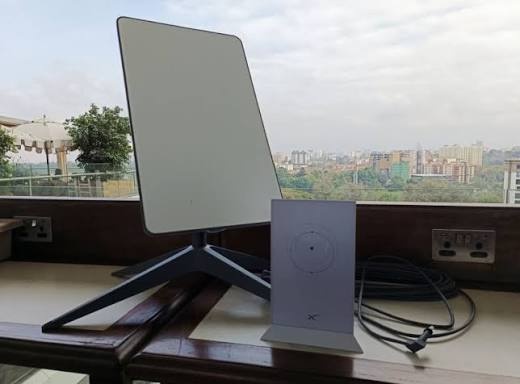
Upstream. Your internet line must be able to reach the spot. Fiber and wired lines may not reach every area, so check what is available at the exact address. Many hotspot owners use a business line, a 4G or 5G router, or Starlink, and each has different costs and limits. A place with a busy crowd but a weak upstream gives you slow evenings, and unhappy customers.
Power. Check how stable the supply is at the location, and who pays for it. Plan for a UPS or battery backup, because a hotspot that goes dark during outages loses sales and trust.
Security of the equipment. An access point mounted low or out of sight invites theft and tampering. Choose a spot you or the host can watch, and secure the gear properly.
Permission, hosts and agreements
You rarely own the building. A landlord, shop owner or manager decides whether you can mount equipment, run cable and use power. Talk to them early, and agree on the terms in writing, even if it's a simple note signed by both sides. Cover what you can install, who pays for power, whether you pay rent or share income, how long the arrangement lasts, and what happens if either side wants to stop. Verbal deals have a way of changing once the hotspot starts earning.
Competition and pricing
Before you pick a spot, find out who already sells internet there and at what price. Mobile data bundles are your biggest competitor in most towns, because customers compare your packages to what their phone offers. Compete where you have a real advantage, such as better value for heavy use, a stable connection for long sessions, or a place where mobile signal is poor.
Licences and local rules
Selling internet to the public in Kenya is regulated, so ask the Communications Authority of Kenya which licence fits your business, and check with your county about permits for your site and any signs. Rules and fees change, and shop websites are often out of date, so confirm directly with the authorities before you invest.
Matching billing to the location
The type of place decides how you sell, and your billing should match it. Hostels and plots suit monthly PPPoE accounts or weekly plans. Markets, stages and eateries suit hotspot packages by the hour or day, with a quick M-Pesa payment on the login page. Billing systems like Noch Wired support both hotspot and PPPoE on MikroTik routers, with M-Pesa STK push, Paybill and Till, so you can start with one type of location and add another later, without changing platform.
Score your spot
Before you commit, score each candidate location out of five on these points, where five is excellent.
Foot traffic during your expected busy hours
Dwell time
Need for internet
Ability to pay
Safe, permitted place for equipment
Stable power
Upstream line quality
Weak competition or a clear advantage
Add up the scores. Places with high scores across foot traffic, dwell time and need are strong candidates. A low score on permission, power or upstream is a warning sign, however good the crowd looks.
Also, do not fall for the first place that seems right. List three candidate spots, visit each at different times, score them with the checklist above, and choose the one with the best overall result. Start there with a small, simple setup, and test your billing with a real payment before you open to the public.
Start earning today with Noch Wired
Popular Posts