Is Your MikroTik Router Slow? 7 Signs You Need an Upgrade
Is Your MikroTik Router Slow? 7 Signs You Need an Upgrade
Is your internet lagging or dropping again? Don't yell at your ISP just yet. Your MikroTik router could simply be overwhelmed. These 7 signs show it is time to upgrade your hardware.
Guides
Contributor By:
Maxwell Kamau
21 Oct,2026, 10:25
Your router does not have a complaints box. It will not tell you when it is tired. It will drop a few packets at 8 pm, answer pings a little more slowly, and, one evening, a customer will call and tell you that Wi-Fi is crawling despite your internet line being fine. By then it has been going on for weeks.
The number of customers is not a good alarm for this. Fifty people reading WhatsApp cost a router much less than ten people running torrents, and a router with hundreds of queue and firewall rules works harder than a bare one with the same crowd. So you monitor the router, not just your customer count.
Most published articles on this topic talk about things at home, with advice like 'your router is five years old' or 'you need Wi-Fi 6.' That advice is fine in a living room, but it misses what breaks when you sell internet to a growing crowd, so these are the signs an ISP owner sees.
The signs
1. The CPU is high during your busiest hour
The CPU is the brain of your router, and when it is full, packets are waiting to be sent. Log in to it during the busiest hour for your business, at around 7pm to 10pm in many places, and check the load:
/system resource print
/tool profile
A reading that stays above roughly 70 to 80 percent is a warning, and that figure is a rule of thumb, not a fixed line. You should also look for one other thing. Some tasks on a router only use one core of its processor, so one core can be at 100 percent while the average still looks fine. The profile tool shows which task is using the CPU.
2. Your own router address is slow to answer
Ping the router's own address from a customer's phone or laptop during the evening. A healthy router will answer in a few milliseconds every time. If the answer is tens or hundreds of milliseconds while your upstream line is fine, then it is struggling to keep up with its own traffic. It is one of the earliest signs, long before anyone complains.
3. Your traffic graph reaches a flat ceiling
Look at your traffic graph for a busy evening. If the line climbs and then runs flat at the same number, night after night, something is capping it. Sometimes that is your internet plan. If your upstream is bigger than that number and the graph still goes flat, the router is probably limiting itself because of its processor or ports or rules it has to check.
Many cheap routers pass less traffic with queues and firewall rules on than their box says, so test with your real arrangement, not the spec sheet.
4. Every fix you add makes it a little slower
An ISP that is growing collects rules. Each customer gets a queue, hotspot entries, and maybe a firewall rule, and over time the router carries hundreds of them. Plenty of simple queues are very heavy for the CPU. Techniques like PCQ or a queue tree usually handle many customers with less work. If the number of queues is still rising and the router is slowing down, count them:
/queue simple print count-only
Sometimes the cure is cleaner rules. If you have already cleaned them up and it is still lagging, the router is too small.
5. Your connection table or memory is nearly full
Every connection a customer opens takes up a slot in it, and phones and torrent apps open lots of them. When it fills up, new connections fail and customers report that some sites are hanging or apps will not load. Check how full it is and how much memory is free:
/ip firewall connection tracking print
/ip firewall connection print count-only
/system resource print
Commands and output differ between RouterOS versions, so check yours. Low free memory or a tracking table close to its maximum at peak means the router ran out of room.
6. You cannot add what the business now needs
Growth brings needs that a small router can't. You want a second internet line for backup, but there is no spare port. You want to keep customers away from your management network with VLANs, but the device is too limited. The DHCP pool keeps filling up, the storage is full, or you have chained unmanaged switches to get enough ports. A router that forces awkward workarounds for every new need is telling you its time is up.
7. It reboots itself, or runs hot, or you dread rebooting it
Random reboots, high temperatures, errors in the log, and a warm power supply are signs of a tired device. So a router is so important that you can't restart it without a plan, because one box now carries everyone. Age matters here, since a router stuck on old software that no longer gets updates is a security risk. One bad reboot costs a full evening of sales, and that is worth planning for before it happens.
Cheap suspects to check before you spend
Three things look like router trouble and are not.
An overloaded access point causes complaints even when the router is idle. A common guide is around 30 to 50 active users per access point, depending on the hardware, so check the client count on each one.
Congestion on the upstream looks the same from a customer's chair. Test the speed at the router itself, and if it is already poor there, call your provider, not the shop.
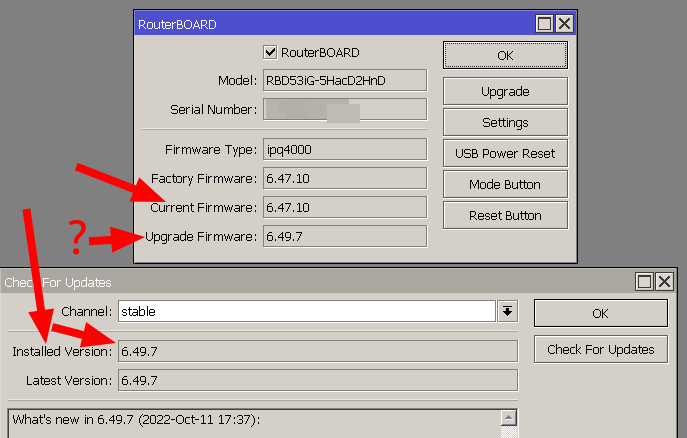
And a bad cable, a failing PoE injector, or a crowded Wi-Fi channel can drop packets with no help from the router at all.
A simple split helps.
If the CPU is low, the ping to the router is steady, and the graph does not flatten, the router is probably fine, and the problem lives elsewhere. If those three are bad, you have your answer.
Start earning today with Noch Wired
Popular Posts