Keep Your MikroTik Tower Site Running During KPLC Outages
Keep Your MikroTik Tower Site Running During KPLC Outages
KPLC blackouts can be unpredictable. You can lose the whole estate instantly if the back-up fails. Ensure you size your batteries correctly, protect your main MikroTik hub from voltage spikes, and perform load testing to confirm everything is ready to go.
Guides

Contributor By:
Maxwell Kamau
25 Oct,2026, 12:30
Tower sites should be very simple.
Whether they are a mast with radios looking at 3 estates or a pole on top of a shop with one sector antenna, they will only ever work if the box beneath them is powered!
This means that if the site goes down, then all the customers behind it won’t be able to connect.
KPLC will sometimes give some notice when carrying out planned outages. However, there are some outages that take you by surprise and can be anywhere from a few minutes to a whole night. Upon reconnection, they often cause a surge or poor fluctuating power that can cause more damage than the outage.
These cannot be avoided; however, we can decide what actions our sites take. This will largely be based on math.
Watts and hours
Firstly work out how many watts your site uses.
Look at each device label/spec sheet or plug a cheap watt meter in line. Don’t rely on the label showing the correct usage; these show maximum values. Add them all together.
For example, if you have a MikroTik router (12W), a switch (5W), a sector radio (15W), a backhaul radio (12W), and a cable/Poe loss (4W), then your total usage will be 48W.
If you have 2 sectors, more radios, and a bigger router, your site may use up to 120 W.
Now decide how many hours you want to cover. You should do this based on your own outage logs. For a month, write down when your site went down, how long the outage was for, and if it was just your building or the whole area.
If your site went down 5 times for 20 minutes each month, this will require a completely different solution than if you had some outages lasting the whole night. You’ll likely see you have lots of short outages and a few long ones. How long you can go for will depend on your budget.
Now convert this into energy. To do this, simply multiply the watts by hours.
Next, work out your efficiency. Lithium Iron Phosphate batteries (LiFePO₄) can safely deliver around 80% of their capacity. There will also be a bit of a loss due to the power converters between the battery and your kit. So we’ll say we have around 90% efficiency. A 12V 100Ah lithium battery stores around 1280Wh. Using this for your 48W site, you would have 1280 x 0.8 x 0.92 = 19 hours.
For the 120W site, it would last around 8 hours. Lead-acid batteries are older tech and will only give around half the energy at the same rating. They also won’t last as long in hot cabinets, which many tower sites have.
Backup
Not all sites will be the same. You’ll also need to think about which site is the most important. Drawing a diagram of your network will help. If you have a hub supplying backhaul to 3 other towers, this will need to last the longest. Even if the other sites have a full battery, they will go down. Spend your largest battery on the hub and the smallest on the end of the chain supplying a few customers.
There are two common options.
A UPS (Uninterruptible Power Supply) takes the mains, charges a battery, and supplies the mains to your kit. This is an easy option, as they are available from any shop. However, they are not very efficient due to the constant conversion. The sealed batteries are also small and usually don’t last 2/3 years. The other option is a DC system. This uses a charger to keep your battery charged and supplies low voltage from the battery. This is more efficient and will last longer. However, most telcos use this method, often with 24v or 48v.
Many Mikrotik devices can handle a wide range of DC voltages, but this will depend on the model. Radios and Poe devices will also have their own requirements, such as passive 24v on some older models. Make sure to check the datasheets of each device, use fused cables, and use correct converters. Get a technician familiar with DC systems to double-check your setup. Don’t guess here, as you’ll damage your equipment.
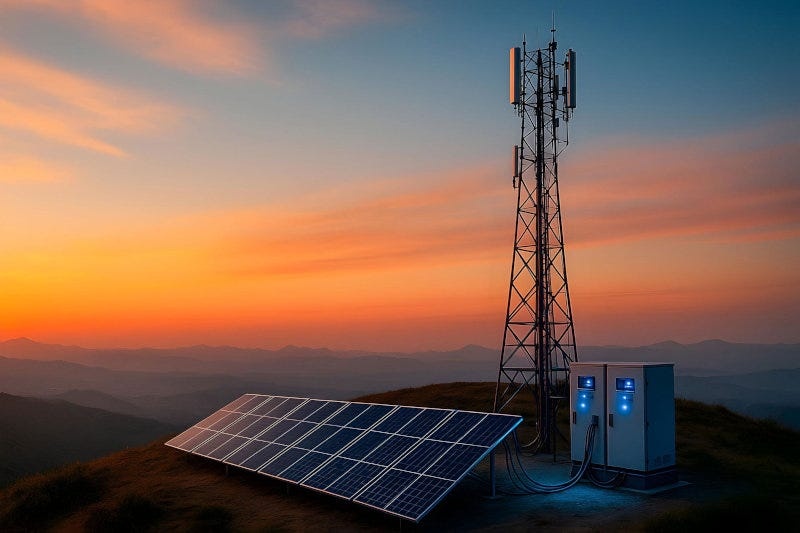
You can also add a solar or generator for hub sites or sites with unreliable mains. Solar will be a higher cost initially but will run for free. A generator will be cheaper to purchase but requires fuel, regular maintenance, and someone to start it or automatic switching. Fuel can also run out.
Protection and monitoring
Outages aren’t the only electrical issue you could face. Poor or fluctuating voltages from the grid and surges when power is restored can cause damage to your routers and radios. Fit a surge protector on your mains input and use a charger with a wide range of inputs.
Many sites are at greater risk from lightning, as masts are the highest point. Ground your mast and equipment to good earth, and fit surge arresters on all cables leaving your tower and going into your cabinet. Have a qualified technician to test the earthing.
Don’t guess here.
Batteries and solar panels are often stolen from sites, so make sure your cabinet is locked, bolted down, and hidden if possible. Mark your batteries and ask a neighbor or caretaker to keep an eye out. Fit a cheap door sensor to trigger an alert.
Small ISPs will gain the most from monitoring. Many Mikrotiks can show you the voltage coming into them.
This will tell you if you’re on mains or battery:
/system health print
This will vary depending on your hardware. Once you’ve seen what yours look like, you can monitor.
A dying site cannot contact you, as the device causing the alert won’t have any power. Monitor from a site that will always be online. Use a monitoring tool, or have a router in your office/home on backup power. Set this to ping each tower. If it doesn’t respond, you’ll get an alert. Once power comes back, the log on the tower will show you what happened.
If you see something along the lines of "router was rebooted without proper shutdown," this is usually caused by a power failure.
/tool netwatch add host=10.20.0.2 interval=30s timeout=3s comment="Hill tower"
/log print where message~"without proper shutdown"
These are examples, so try them on your own router. A smarter option is to know how much voltage you’re getting. This will let you do something before your battery dies. Set your warning voltage so you get an alert and a lower voltage to turn off nonessential loads. This could be turning off your PoE to a spare access point. This will give you more hours for your essential links. Both will be found from your battery manufacturer's data sheet.
The correct numbers will vary depending on battery type and voltage. A low voltage disconnect (either built into your charger or a small device) will prevent your battery from being drained too much and damaging it. This is a cheap way to protect an expensive component.
Reboot
When power comes back, not all devices will come online at the same rate. If your router comes online before your radios, you may receive errors in the log or lose connection. Start with your hub, then your sites. Give each a minute or two. Many sites will come back automatically. Having a quick note will help whoever is in your cabinet at midnight.
Test it, then tell people
Don’t guess how your backup will work.
Once a month, turn off mains and see how long your site lasts. Ensure the battery voltage looks correct, your alert triggers, and everything comes back cleanly. Note the date, outcome, and battery voltage.
If your site lasted 19 hours last month and 14 this month, this tells you your battery is getting old. You can replace it at your leisure.
Whilst you’re there, clean your terminals, tighten connections, and check cabinet temps.
Communicate with your customers.
If you have a long outage, send a short message early on letting them know what happened and when you’ll update.
If you sell hourly or day passes, decide ahead of time how much you owe people. Something along the lines of adding an extra hour to all active passes if they had an outage longer than an hour.
This will cost you little and help build trust.
Start earning today with Noch Wired
Popular Posts